

Description
Download Atlántida Token SV – Secure Transaction Authentication, Biometric Login, Financial Security
Overview
Atlántida Token SV is a free Android application developed by Banco Atlántida El Salvador S.A., designed to enhance the security and convenience of financial transaction authentication. The software serves as a digital token solution for users of Atlántida Online, enabling secure, branch-free access to authentication features. By eliminating the need for physical tokens or in-person visits, the app streamlines the process of verifying transactions, particularly for mobile banking users. It is tailored for individuals who rely on digital banking services and require a reliable, secure method to authenticate financial actions such as transfers, payments, and account modifications.
The application is intended for customers of Banco Atlántida El Salvador S.A. who maintain an active online banking account. Its core purpose is to strengthen cybersecurity measures by introducing dynamic, time-based authentication codes that are generated within the app. This approach reduces the risk of fraud and unauthorized access. Real-world usage includes users conducting daily transactions via mobile banking, verifying high-value transfers, or managing account settings remotely. The app supports biometric authentication, allowing faster and more secure access to the token, which improves the overall user experience while maintaining robust protection standards.
Key Features & Capabilities
- Dynamic Transaction Authentication – Generates time-based, one-time codes to verify financial transactions securely, reducing the risk of unauthorized access.
- Biometric Access – Supports fingerprint and facial recognition for quick and secure login, minimizing the need to enter passwords or codes repeatedly.
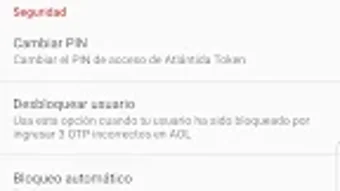
- Token Synchronization – Allows users to unlock or sync their authentication token across devices, ensuring continuity when switching or resetting devices.
- Branch-Free Setup – Enables users to create and manage their authentication token without visiting a physical branch, improving accessibility and convenience.
- Integration with Atlántida Online – Seamlessly works with the bank’s existing online banking platform, ensuring a unified and secure user experience.
These features are designed to support secure, efficient digital banking. For example, a user making a cross-border transfer can authenticate the transaction using a code generated in the app, verified via fingerprint. Another use case involves syncing the token after a device replacement, ensuring uninterrupted access to banking services. The integration with Atlántida Online ensures that the app functions as a trusted extension of the bank’s digital infrastructure, reinforcing trust and operational efficiency for both users and the institution.
User Interface, Workflow & Performance
The user interface of Atlántida Token SV appears to be structured around simplicity and security, focusing on essential functions such as code generation, biometric login, and token management. Navigation is likely streamlined to prioritize authentication tasks, minimizing steps required to verify transactions. The workflow is designed to be intuitive, with clear visual cues for code display and biometric authentication prompts. Users can access the token quickly after a successful biometric scan, reducing friction during high-frequency banking activities.
Performance details were not specified by the developer. However, based on general patterns of lightweight Android security applications, the app is expected to operate efficiently with minimal impact on device resources. The developer did not provide additional system requirements or performance benchmarks. Stability is likely maintained through integration with the bank’s secure backend systems, but specific observations on CPU or RAM usage are not available. The app’s functionality is centered on code generation and biometric verification, which are typically low-latency processes. Users should expect consistent behavior during authentication, though real-world performance may vary depending on device capabilities and network conditions.
Compatibility & System Requirements
Atlántida Token SV is designed for Android devices and is compatible with the latest versions of the Android operating system. The app has a file size of 20.1 MB, indicating a lightweight footprint suitable for a wide range of Android smartphones and tablets. It requires an active account with Atlántida Online to function, which implies a dependency on the bank’s digital infrastructure. The developer did not specify exact hardware requirements or minimum Android version details.
Compatibility information was partially provided. Users are advised to ensure their device meets the general requirements for running Android applications and has biometric sensors (fingerprint or facial recognition) if they wish to use the biometric login feature. The app’s functionality may be limited on older Android versions or devices without biometric capabilities. Installation is straightforward through the Google Play Store, and no additional setup steps are required beyond account linking.
Pros and Cons
Pros
- Free to download and use, with no hidden costs
- Supports biometric authentication for faster, secure access
- Eliminates the need to visit a bank branch for token setup
- Seamlessly integrates with Atlántida Online banking platform
- Lightweight size (20.1 MB) suitable for most Android devices
Cons
- Available only for Android, limiting access for iOS users
- Requires an active Atlántida Online account to function
- Exact system requirements and compatibility details were not provided
- Biometric features may not be available on older or lower-end devices
- Dependent on the bank’s backend systems for full functionality
FAQ Section
Is Atlántida Token SV available for iOS devices?
The app is currently available only for Android. There is no information provided about an iOS version.
Is the app secure to use?
Atlántida Token SV is developed by Banco Atlántida El Salvador S.A. and is designed to provide secure transaction authentication. It uses dynamic codes and biometric verification to protect user data and transactions.
How do I update the app?
Updates are delivered through the Google Play Store. Users can enable automatic updates or manually check for new versions in the app store.
Do I need to pay to use the app?
No, the app is completely free to download and use. There are no subscription fees or in-app purchases.
Can I use the app offline?
The app requires an active internet connection to synchronize with the bank’s servers and generate authentication codes. Offline usage is not supported.
Final Thoughts + CTA
Atlántida Token SV delivers a modern, secure, and user-friendly approach to transaction authentication for Banco Atlántida’s digital banking customers. With its biometric login, branch-free setup, and seamless integration with Atlántida Online, the app enhances both security and convenience. While it is limited to Android and requires an active bank account, its lightweight design and free access make it a valuable tool for users prioritizing digital safety. For individuals who frequently conduct financial transactions via mobile banking, this app offers a reliable, efficient solution.
Download Atlántida Token SV now
Guides & Tutorials for Atlántida Token SV APK
How to install Atlántida Token SV APK
- Click the Preview / Download button above.
- Once redirected, accept the terms and click Install.
- Wait for the Atlántida Token SV APK download to finish on your device.
How to use Atlántida Token SV APK
This software is primarily used for its core features described above. Open the app after installation to explore its capabilities.
User Reviews for Atlántida Token SV APK 0
No reviews found





